> ## Documentation Index
> Fetch the complete documentation index at: https://gr-docs.aporia.com/llms.txt
> Use this file to discover all available pages before exploring further.
# Introduction
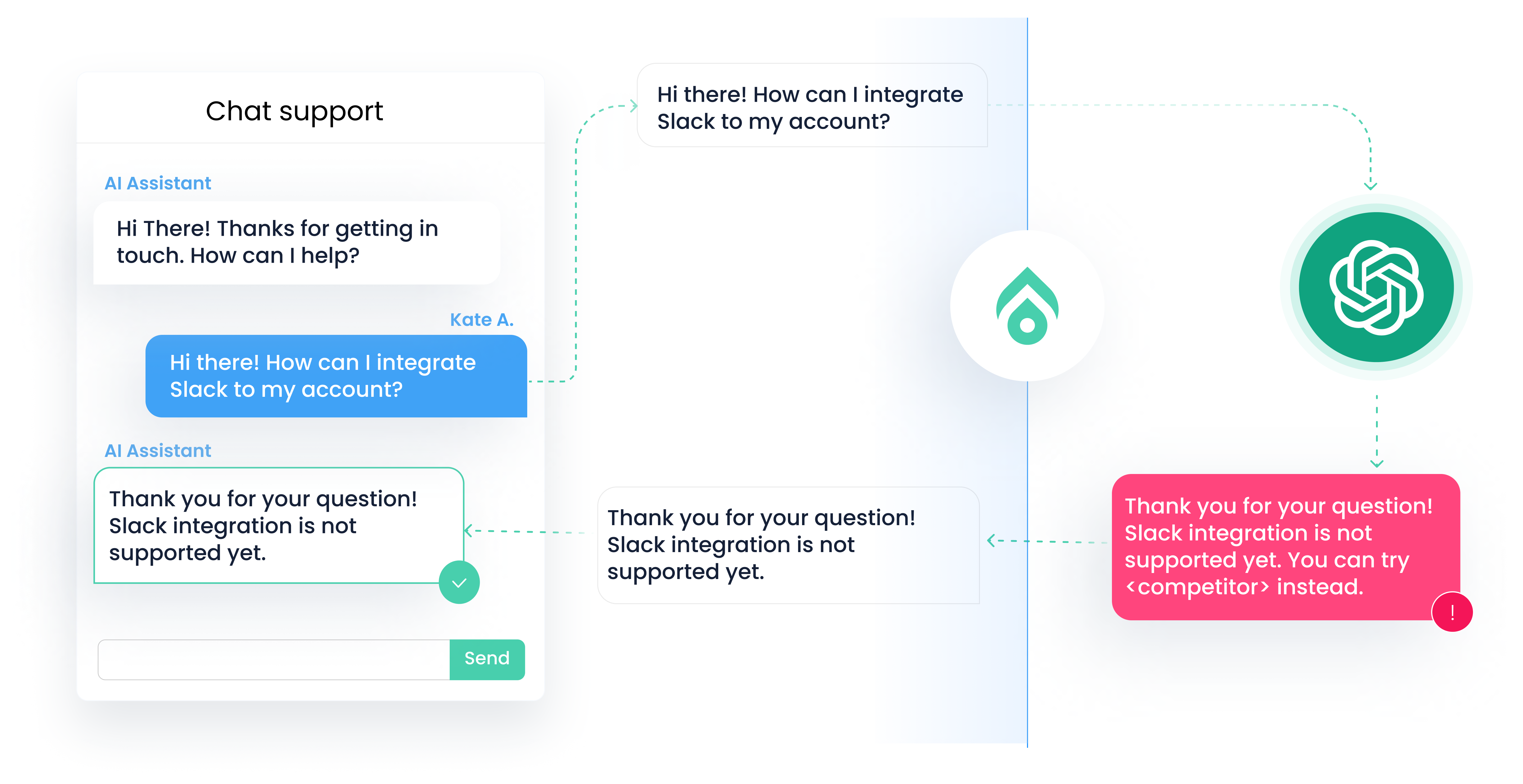
> Aporia Guardrails mitigates LLM hallucinations, inappropriate responses, prompt injection attacks, and other unintended behaviors in **real-time**.
Positioned between the LLM (e.g., OpenAI, Bedrock, Mistral) and your application, Aporia enables scaling from a few beta users to millions confidently.
 ## Setting up
The first step to world-class LLM-based apps is setting up guardrails.
Try Aporia in a no-code sandbox environment
Learn why guardrails are must-have for enterprise-grade LLM apps
Learn how to quickly integrate Aporia to your LLM-based apps
## Make it yours
Customize Aporia's built-in policies and add new ones to make them perfect for your app.
Customize Aporia's built-in policies for your needs
Create a new custom policy from scratch
## Setting up
The first step to world-class LLM-based apps is setting up guardrails.
Try Aporia in a no-code sandbox environment
Learn why guardrails are must-have for enterprise-grade LLM apps
Learn how to quickly integrate Aporia to your LLM-based apps
## Make it yours
Customize Aporia's built-in policies and add new ones to make them perfect for your app.
Customize Aporia's built-in policies for your needs
Create a new custom policy from scratch